Adobe Creative Cloud includes generative AI features in Photoshop, Illustrator, Lightroom, InDesign, Adobe Express, and the Adobe Firefly web app. This article lists which of those features are included in Emerson's Adobe license and which are not.
Adobe sorts its generative AI features into standard and premium. The standard Emerson license includes the standard features only. Premium features include video generation, partner models from Google, OpenAI, FLUX, and Topaz Labs, and most audio tools.
What Your Emerson License Includes
| License | Who has it | Generative credits | Premium features |
|---|---|---|---|
| Creative Cloud (standard license) | All full-time students, staff, and faculty | 1,250 per month | Not included |
| Creative Cloud Pro Plus | Students enrolled in selected production courses. See Installing Adobe Creative Cloud for Student Personal Use for the course list. | 7,000 per month | Included |
Generative credits are what Adobe's AI features spend when you use them. Most standard features use 1 credit per generation. Harmonize in Photoshop uses 5, and Generative Upscale in Photoshop uses more than 1, based on the size of the output. Credits reset each month and do not carry over.
To see your license and your remaining credits, sign in at firefly.adobe.com with your Emerson account and select your profile picture at the top right. The Generative AI panel shows your credits under Standard features and your access under Premium features.
Messages You See on a Premium Feature
On the standard license, a premium feature shows one of these messages:
- Upgrade to access, next to the Generate button.
- "You don't have access to premium features. You can contact your admin to request access."
- "You can contact your admin to buy a Firefly plan for continued access."
These messages mean the feature is a premium feature. Your account and your license are working correctly, and reactivating your license or signing out and back in does not change the result.
In the Firefly web app, the prompt box on the home page starts on a partner model, which is premium. To generate an image on the standard license, open the model menu and select Firefly Image 4 under Adobe models.
Upscaling an Image
Upscaling is standard in one place only: Photoshop, with the Firefly Upscaler model.
| Where | Model | Standard license |
|---|---|---|
| Photoshop: Image > Generative Upscale | Firefly Upscaler | Included |
| Photoshop: Image > Generative Upscale | Topaz Labs models | Not included (premium) |
| Firefly web app: Quick actions > Upscale image | Partner models | Not included (premium) |
| Lightroom: Generative Upscale | Topaz Gigapixel | Not included (premium) |
To upscale an image in Photoshop on the standard license:
- Open the image in Photoshop 2026.
- Select Image > Generative Upscale.
- Set Model to Firefly Upscaler.
- Set Scale and select Upscale.
Photoshop adds the result as a new layer above the original.
Standard and Premium Features by Application
| Application | Standard features (Included in the standard license) |
Premium features (Creative Cloud Pro Plus only) |
|---|---|---|
| Photoshop | Generative Fill, Generative Expand, Generate Background, Generate Image, Generate Similar, Remove Tool, Generative Upscale with Firefly Upscaler, Harmonize | Generative Fill and Prompt to edit with Firefly Image 5 or partner models (Google Gemini, FLUX, GPT), Generative Upscale, AI Denoise, and AI Sharpen with Topaz Labs, Rotate Object, Relight, Generative Restyle, Remove Tool (related elements), Enhance edge |
| Illustrator | Text to Vector Graphic, Concept to Vector, Text to Pattern, Generative Shape Fill, Generative Recolor, Generative Expand, Remove Background, Prompt to Edit, Rewrite | Turntable, and partner models for Text to Vector Graphic, Generative Shape Fill, Prompt to Edit, and Concept to Vector |
| Premiere | None that use generative credits. Enhance Speech, Auto Reframe, Scene Edit Detection, and Text-Based Editing do not use credits and are available to everyone. | Generative Extend |
| After Effects | None that use generative credits. Roto Brush and Content-Aware Fill do not use credits and are available to everyone. | None |
| Lightroom | Generative Remove, Generative Expand | Generative Upscale with Topaz Gigapixel, AI Sharpen with Topaz, Generate Video |
| InDesign | Generative Expand, Text to Image, Alt Text, Check Document | Rewrite, AI Assistant (beta), Consistent terminology, Table Summary |
| Adobe Firefly (web app) | Text to Image with Firefly Image 4, Generative Fill, Generative Expand, Generate Template, Scene to Image, Text to Vector | Text to Image with Firefly Image 5, Firefly Image 4 Ultra, or partner models (OpenAI, Google, FLUX), Upscale image, Text to Video, Image to Video, Translate Video, Translate Audio, Text to Sound Effects, Voice to Sound Effects, Text to Avatar, Generate Music, Generate Speech, Firefly video editor (beta), Prompt to Edit (beta), Custom Models (beta) |
| Adobe Express | Generate Image, Generate Similar, Generate Template, Insert Object, Remove Object, Resize with Expand, Rewrite, Caption Writer, Generate Text Effects, Generate Presentation, Clip Maker, AI Assistant (beta) | Generate Video |
| Substance 3D | Sampler: Text to Texture, Text to Material, Text to Pattern. Stager and Viewer: Scene to Image. Stager: Text to Background. | Stager and Viewer: Text to 3D |
| Animate | None | Generate Turntable |
Source: Adobe Creative Cloud Generative AI Features (November 12, 2026). Adobe moves features between standard and premium, so check Adobe's page for the current list.
How Adobe AI Uses Data
Adobe's Firefly models are trained only on:
- Licensed Adobe Stock content
- Public domain materials
- Openly licensed data
Adobe does not use Emerson user content, or any customer content, to train its Firefly models. Files, images, and projects stored in Creative Cloud accounts remain private and are not added to Adobe's training datasets. Partner models are built by other companies and are premium features.
Installing Adobe Creative Cloud
Adobe Creative Cloud is available to full-time students, staff, and faculty. New AI features often appear first in the beta apps, such as Photoshop (Beta) and Premiere (Beta), which are listed under Beta apps in the Creative Cloud desktop app.
Features by Application
Photoshop
Generative Fill
Select part of an image and describe what to put there. Photoshop fills the selection with generated content. Use it to extend a background, remove an object, or add a new element.
Learn more about Generative Fill →
Other Standard Features
| Generative Expand | Extend an image beyond its original borders |
| Generate Background | Create a new background from a text prompt |
| Generate Image (Text to Image) | Create an image from a text description |
| Generate Similar | Create variations of selected content |
| Remove Tool | Remove an object. Does not currently use credits. |
| Generative Upscale | Enlarge an image with the Firefly Upscaler model. See Upscaling an Image. |
| Harmonize | Match the color and tone of composited elements. Uses 5 credits. |
Illustrator
Generative Recolor
Describe a color theme in plain language and Illustrator recolors the artwork to match.
Learn more about Generative Recolor →
Other Standard Features
| Text to Vector Graphic | Create editable vector graphics from a text prompt |
| Concept to Vector | Turn a rough concept into vector artwork |
| Text to Pattern | Generate a seamless pattern from a description |
| Generative Shape Fill | Fill a shape with generated vector artwork |
| Generative Expand | Extend vector artwork or an image beyond its boundaries |
| Remove Background | Remove the background from an image. Does not currently use credits. |
| Prompt to Edit | Change artwork by describing the edit |
| Rewrite | Rewrite text in the document |
Premiere
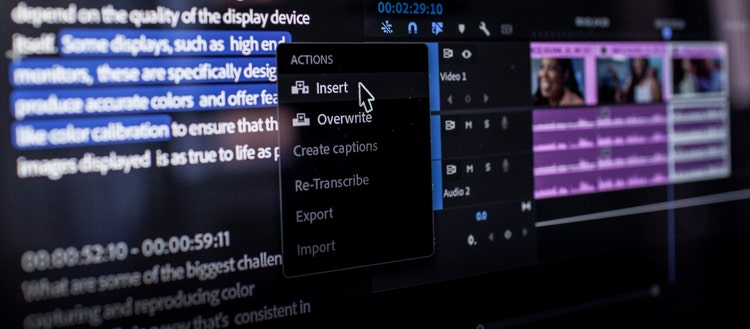
The features below are AI features that do not use generative credits. They are available to everyone with Premiere.
Enhance Speech
Improves low-quality dialogue by isolating the voice and removing background noise and echo.
Learn more about Enhance Speech →

Other Features
| Auto Reframe | Adjusts video for a different aspect ratio, such as widescreen to vertical |
| Scene Edit Detection | Finds the cuts in a flattened video file and splits it into clips |
| Text-Based Editing | Cut video by editing the words in its transcript |
Auto Reframe | Scene Edit Detection | Text-Based Editing
After Effects
The features below are AI features that do not use generative credits. They are available to everyone with After Effects.
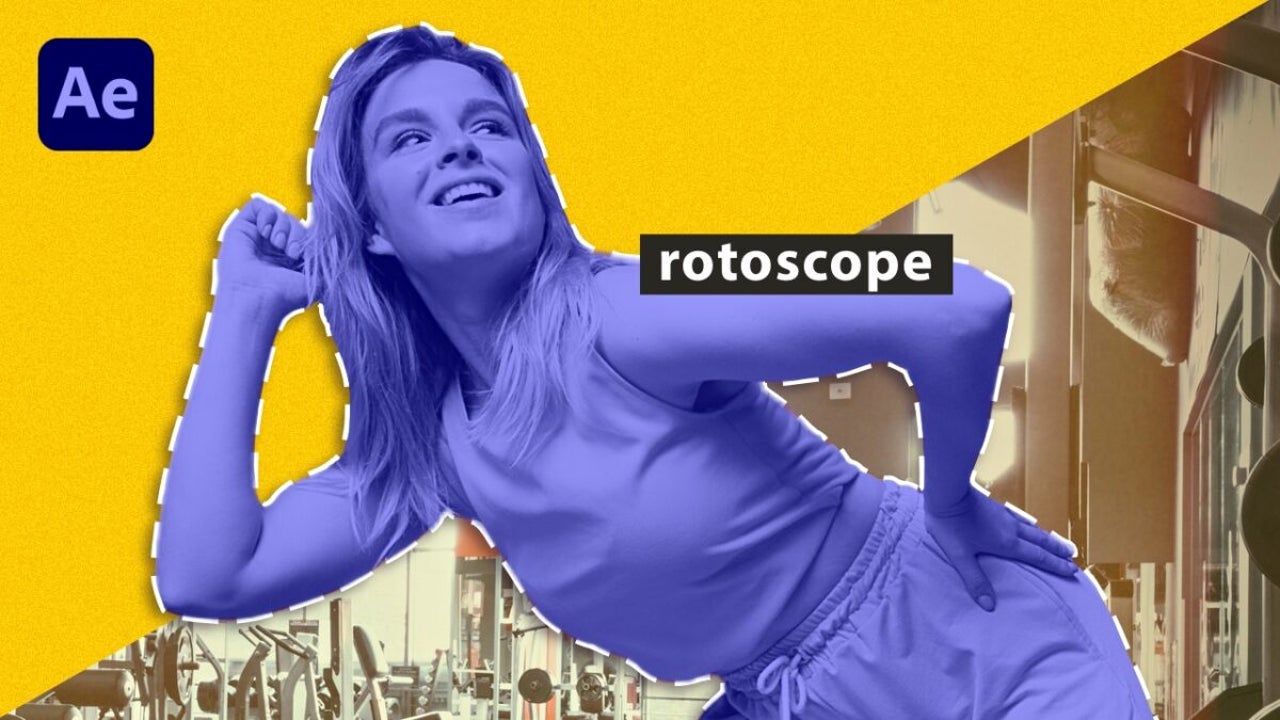
Roto Brush
Separates a subject from its background without frame-by-frame masking.
Content-Aware Fill
Removes an unwanted object from a video and fills the gap using the surrounding frames.
Learn more about Content-Aware Fill →
Lightroom & InDesign
Lightroom
| Generative Remove | Remove a distracting object from a photo. Does not currently use credits. |
| Generative Expand | Extend a photo beyond its original borders |
Learn more about Generative Remove in Lightroom →
InDesign
| Generative Expand | Extend an image beyond its borders within your layout |
| Text to Image | Generate an image from a text prompt in your document |
| Alt Text | Generate alternative text for images |
| Check Document | Review the document for errors |
Learn more about AI in InDesign →
Adobe Firefly (Web App)
Firefly is Adobe's web app for generating images, video, and audio from prompts. Sign in at firefly.adobe.com with your Emerson account.
Most of what the Firefly web app offers is premium, including video, audio, the Upscale image quick action, and every partner model. On the standard license, select Firefly Image 4 in the model menu to generate images.

Standard Features
| Text to Image | Generate images from a text description with Firefly Image 4 |
| Generative Fill | Add or replace content in an image |
| Generative Expand | Extend an image beyond its original borders |
| Text to Vector | Create editable vector graphics from a prompt |
| Generate Template | Create an editable template from a description |
| Scene to Image | Turn a 3D scene into an image |
Premium (not in the standard license):
- Text to Image with Firefly Image 5 or Firefly Image 4 Ultra
- Partner models (OpenAI GPT Image, Google Gemini and Veo, FLUX, Topaz)
- Upscale image
- Text to Video / Image to Video
- Translate Video / Translate Audio
- Text to Sound Effects / Voice to Sound Effects
- Text to Avatar
- Generate Music / Generate Speech
- Firefly video editor (beta), Prompt to Edit (beta), Custom Models (beta)
Adobe Express
Adobe Express is a web and mobile app for social posts, flyers, short videos, and presentations.
→ Open Adobe Express at express.adobe.com
Standard Features
| Generate Image | Create images from a text prompt |
| Generate Similar | Create variations of an existing image |
| Generate Template | Create a design template from a description |
| Insert Object | Add a generated object to an image |
| Remove Object | Remove an object from an image |
| Resize with Expand | Resize an image and extend its content to fit |
| Rewrite | Rewrite or shorten text |
| Caption Writer | Generate captions for social posts |
| Generate Text Effects | Create stylized text from a prompt. Does not currently use credits. |
| Generate Presentation | Create a presentation from a prompt. Does not currently use credits. |
| Clip Maker | Cut short clips from a longer video. Does not currently use credits. |
| AI Assistant (beta) | Create and edit designs by describing what you want |
Substance 3D Apps
Substance Sampler
| Text to Texture | Generate a texture from a text description (Standard) |
| Text to Material | Create a 3D material from a prompt (Standard) |
| Text to Pattern | Generate a seamless pattern (Standard) |
Substance Stager & Viewer
| Scene to Image | Turn a 3D scene into an image (Standard) |
| Text to Background | Generate a background from a description, in Stager (Standard) |
| Text to 3D | Generate a 3D object from text (Premium, not in the standard license) |
Additional Resources
- Adobe: Complete List of Generative AI Features
- Adobe: Generative Credits FAQ
- Adobe Firefly Overview
- Adobe Creative Cloud Tutorials
Need help?
Contact the IT Help Desk at helpdesk@emerson.edu or 617-824-8080.
Last updated: November 2026. Standard and premium classifications follow Adobe's documentation dated November 12, 2026, and were checked against the standard Emerson license on November 18, 2026.